Bills Tracker
Budgets by paycheck instead of by month, so you can see what is left after each one.
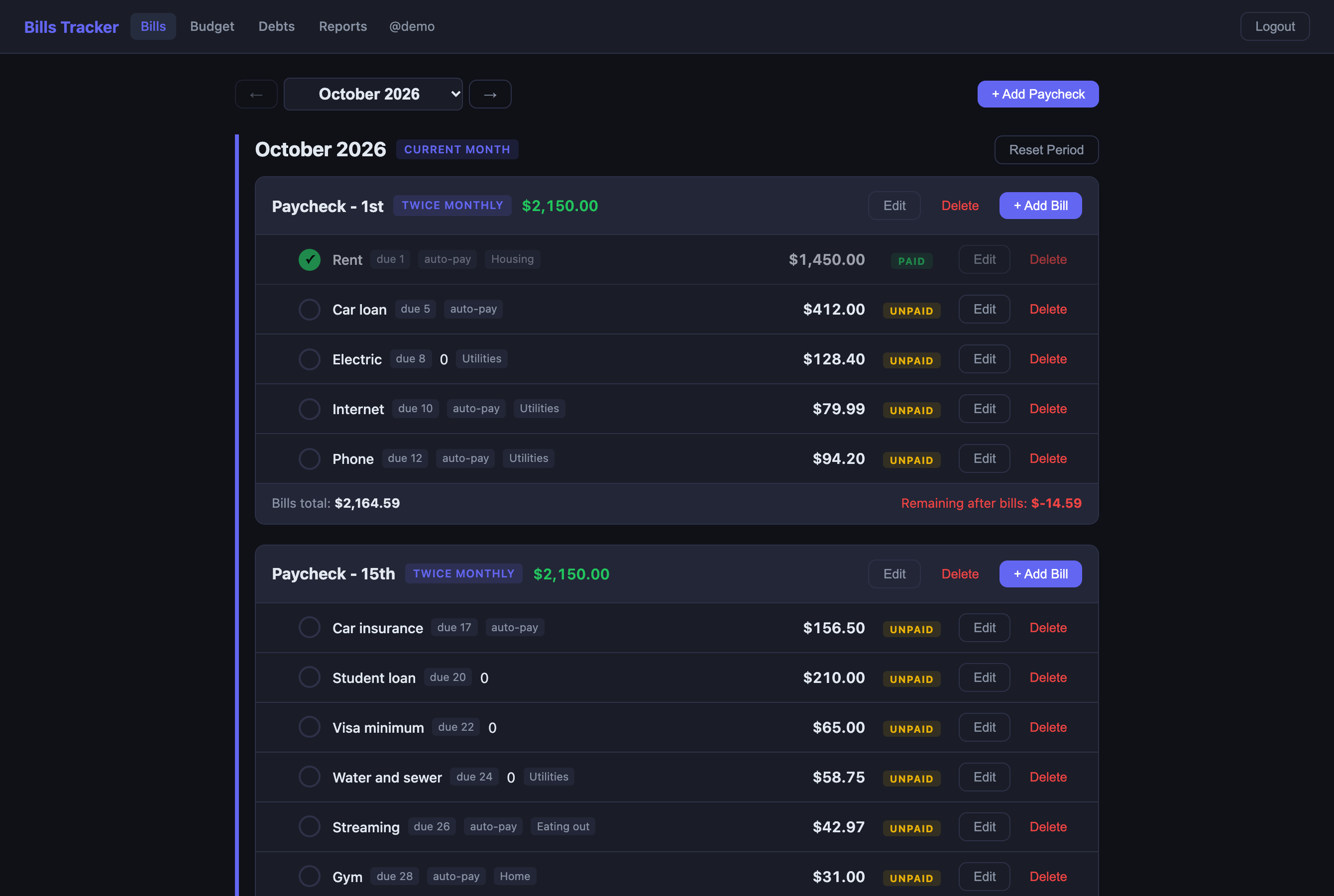
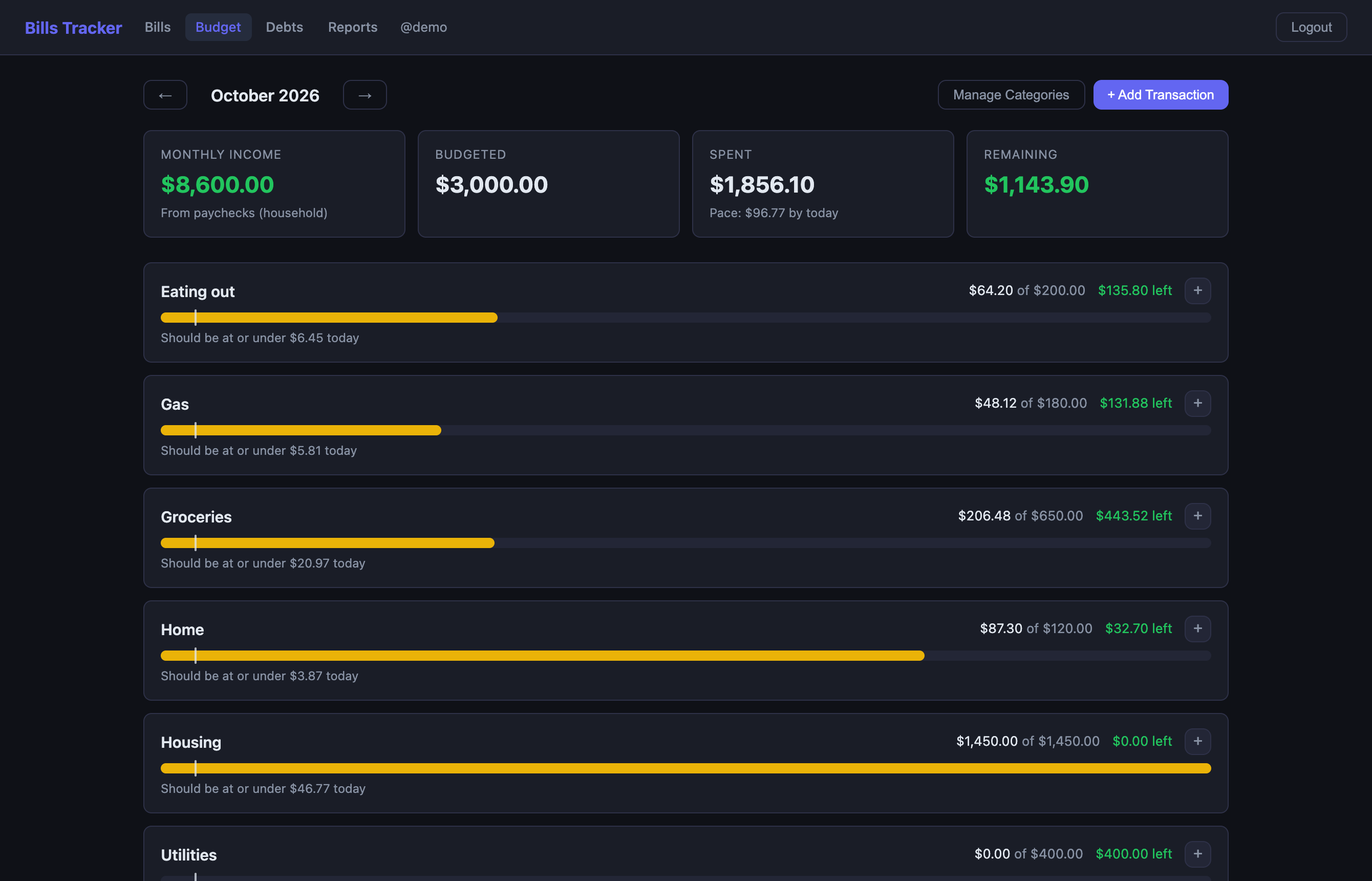
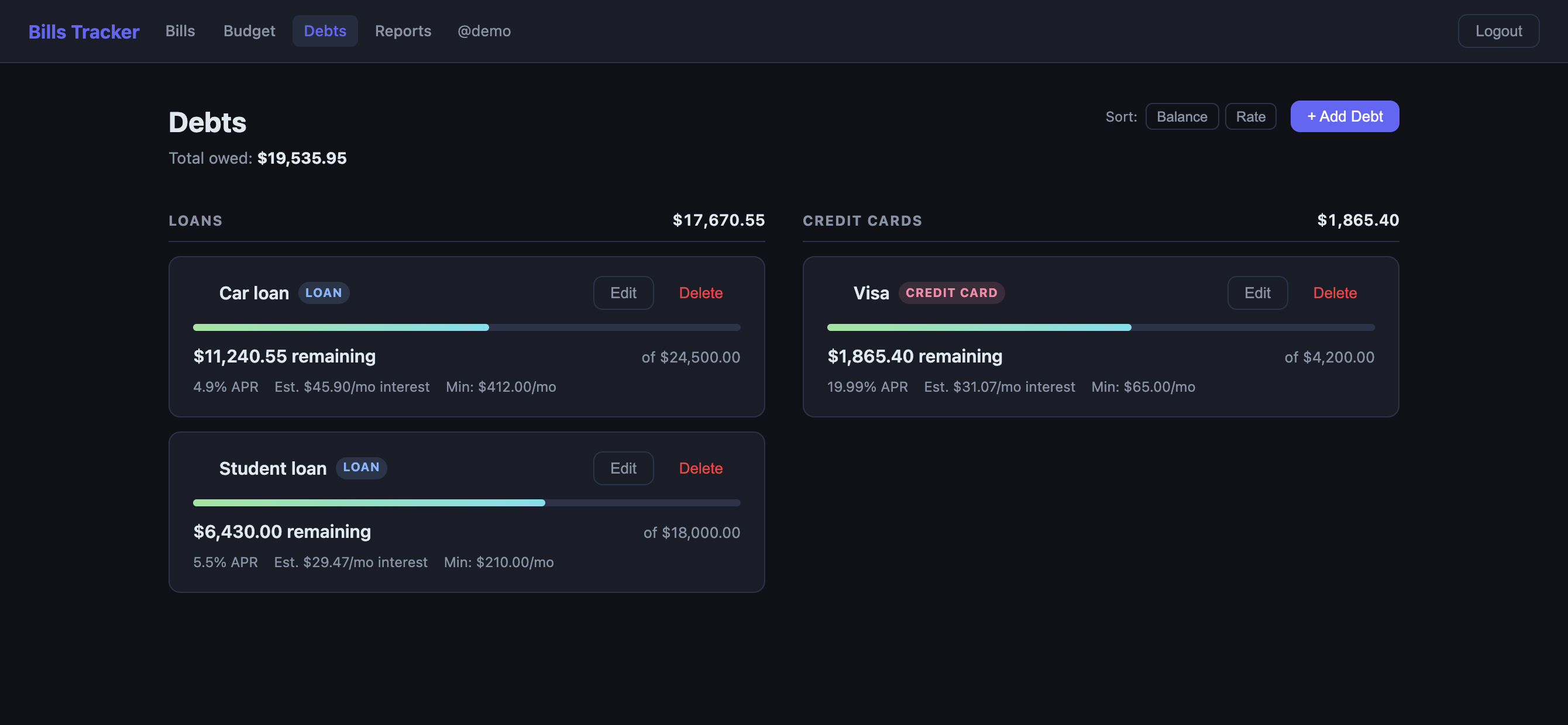
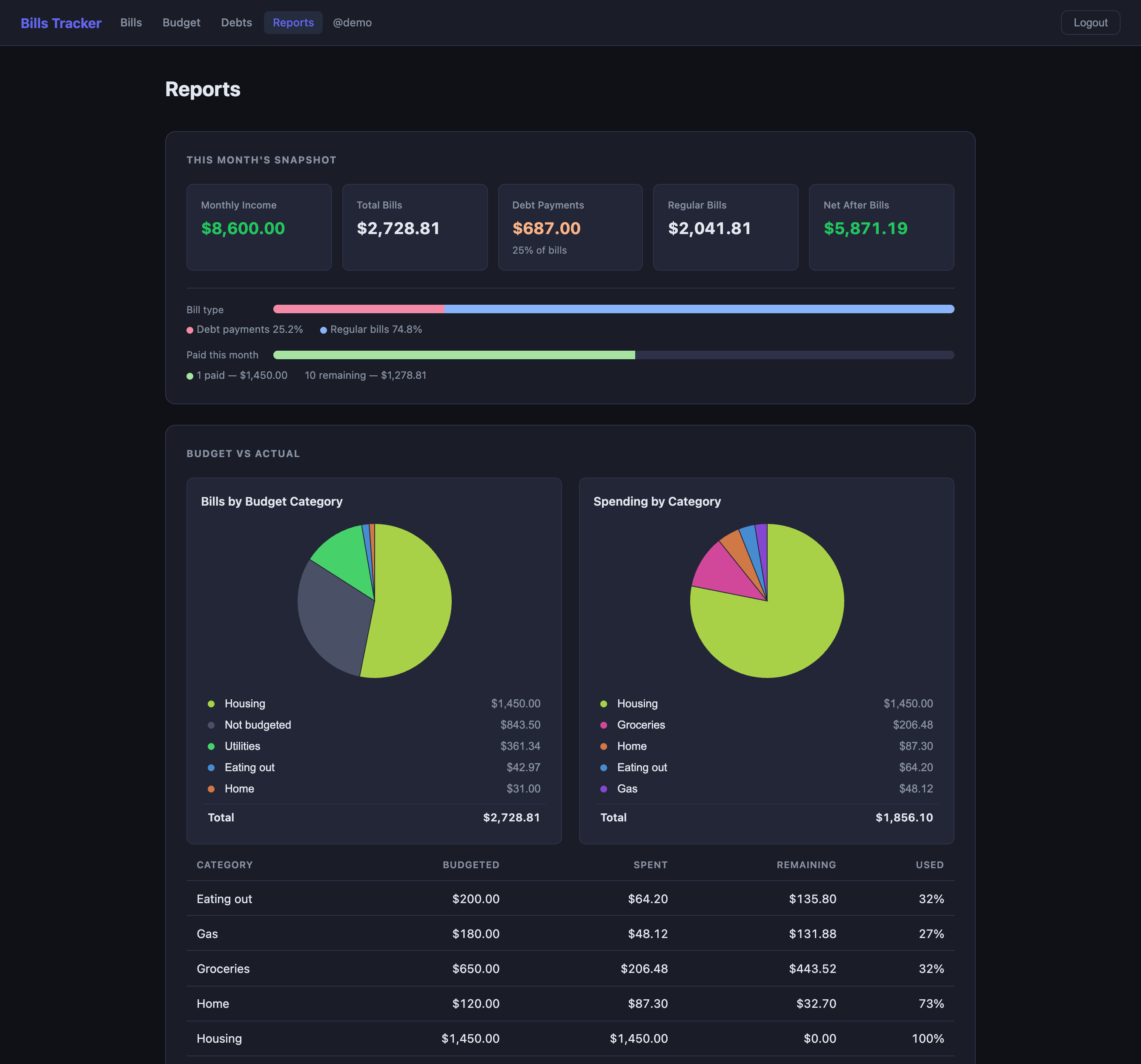
Budgeting apps think in months. Pay does not arrive monthly. It arrives on the 1st and the 15th, or every other Friday, and the question that matters is what is left after this paycheck covers the bills attached to it.
This tracks it that way. Assign each bill to a paycheck, pick the schedule that matches how you actually get paid, and the total under each one tells you what is left after it clears. The screenshot shows the case worth catching: the first paycheck of the month comes up $14.59 short, and it says so before the money moves.
Debts sit alongside, each with the balance left against what you borrowed, the rate, and the interest it costs you this month. Spending gets categories with a pace line, so halfway through the month you can see whether groceries are running hot. The reports page adds it up: what is bills and what is debt, what is paid, and where the spending actually went.
The screenshots here are a throwaway account with made-up numbers, not my own.
It runs on your own machine, so the numbers stay there.
Install
- Clone the repo.
- Start it:
docker compose up -d- Open
http://localhost:3001and create an account.
The database sits on a Docker volume, so upgrades and rebuilds do not take your data with them.