Catalog Intake
A wizard that lets anyone describe the catalog item they need, and a builder that turns their answers into the real item.
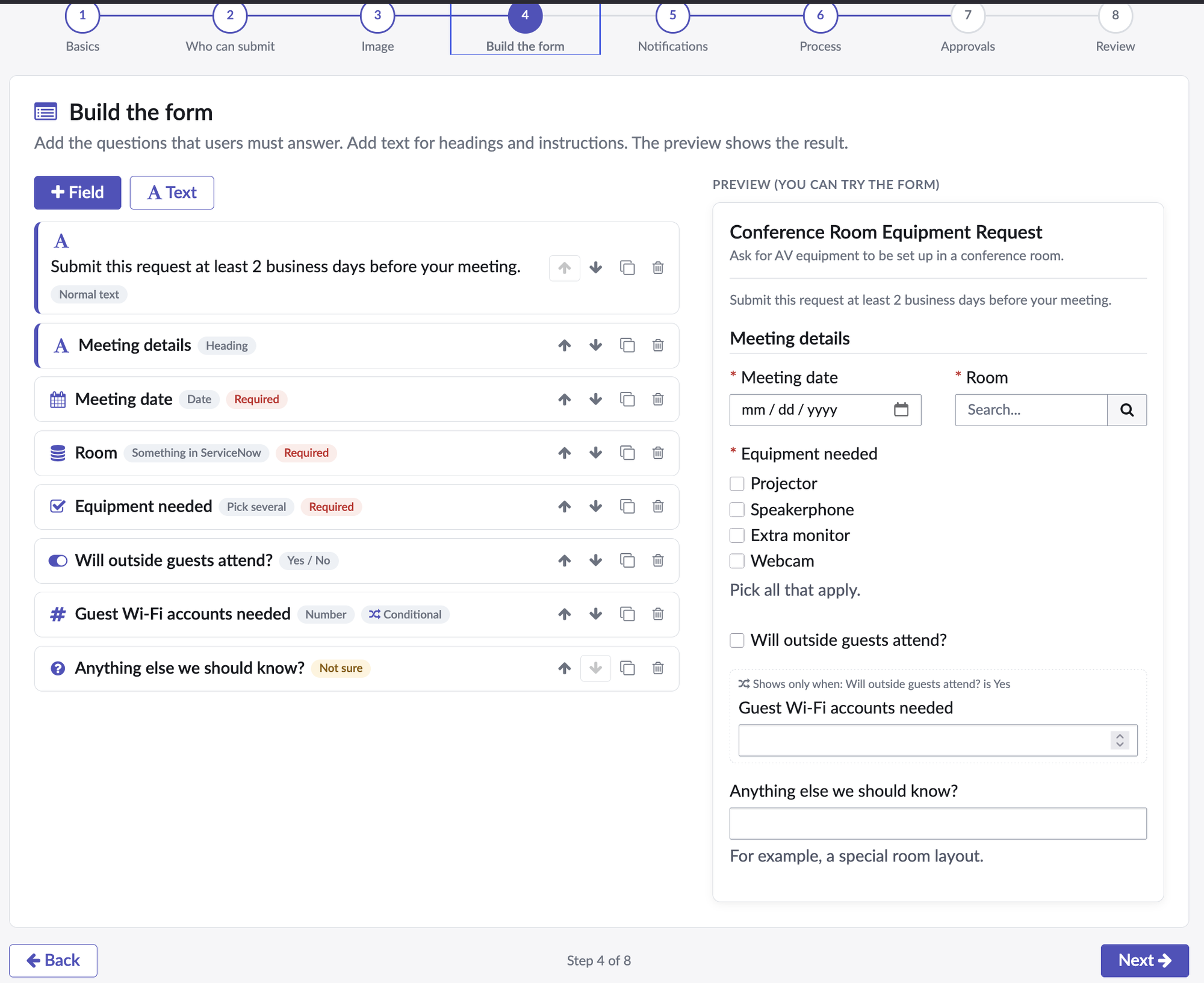
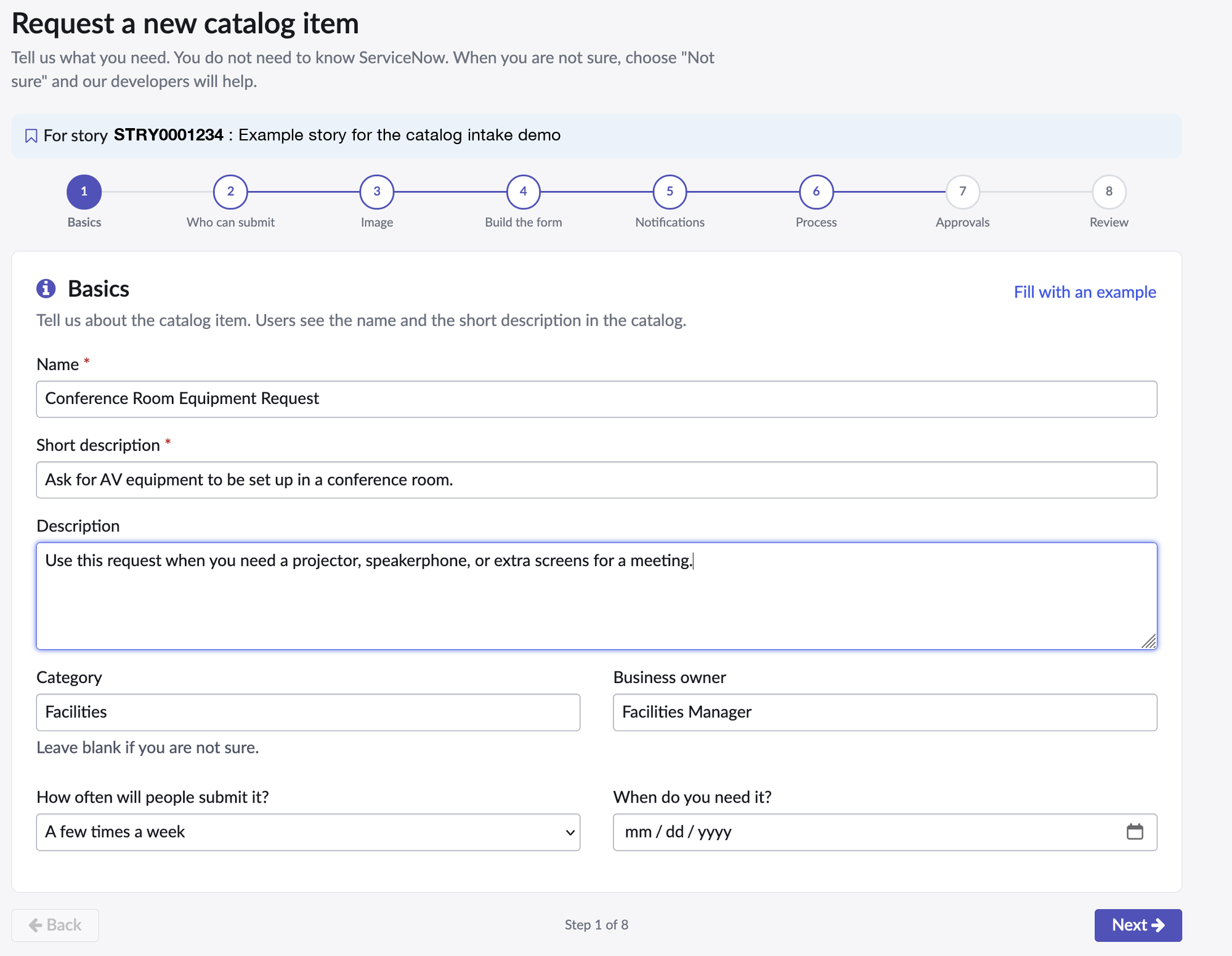
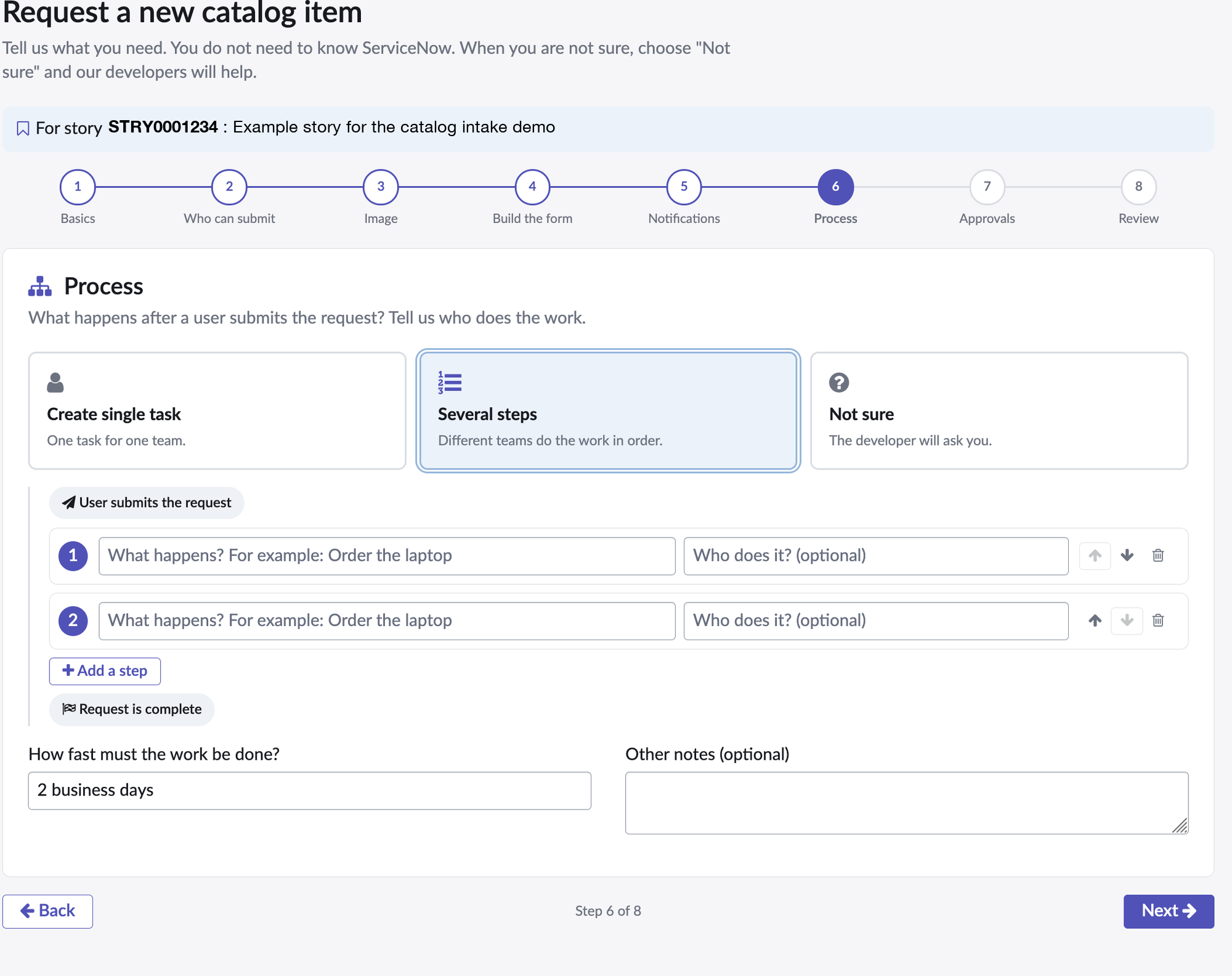
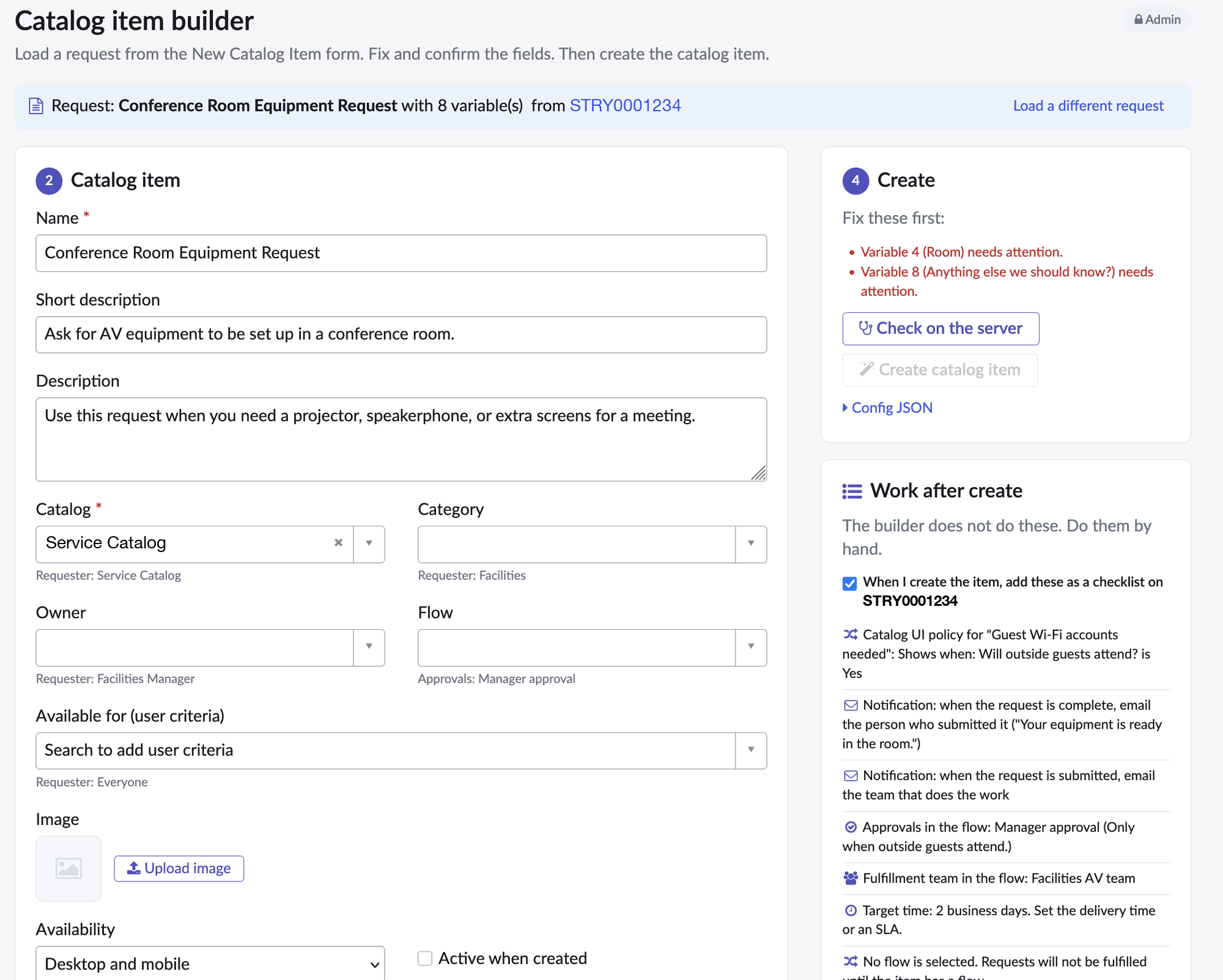
A request for a new catalog item usually shows up as an email with a screenshot of a spreadsheet. Then comes a meeting to work out what “a dropdown for the room” means, and someone rebuilds the form by hand, variable by variable.
This splits the job in two. The person who wants the item gets a wizard that runs off a story. They name the item, upload an image, and build the form with field types in plain words: short answer, pick one, a person, something in ServiceNow. Every question has a “Not sure” option, so nobody stalls on a decision they can’t make. A live preview shows the form as they build it. Then they tell you who gets emailed, what happens after submission, and who approves it, and the whole thing saves to the story as JSON.
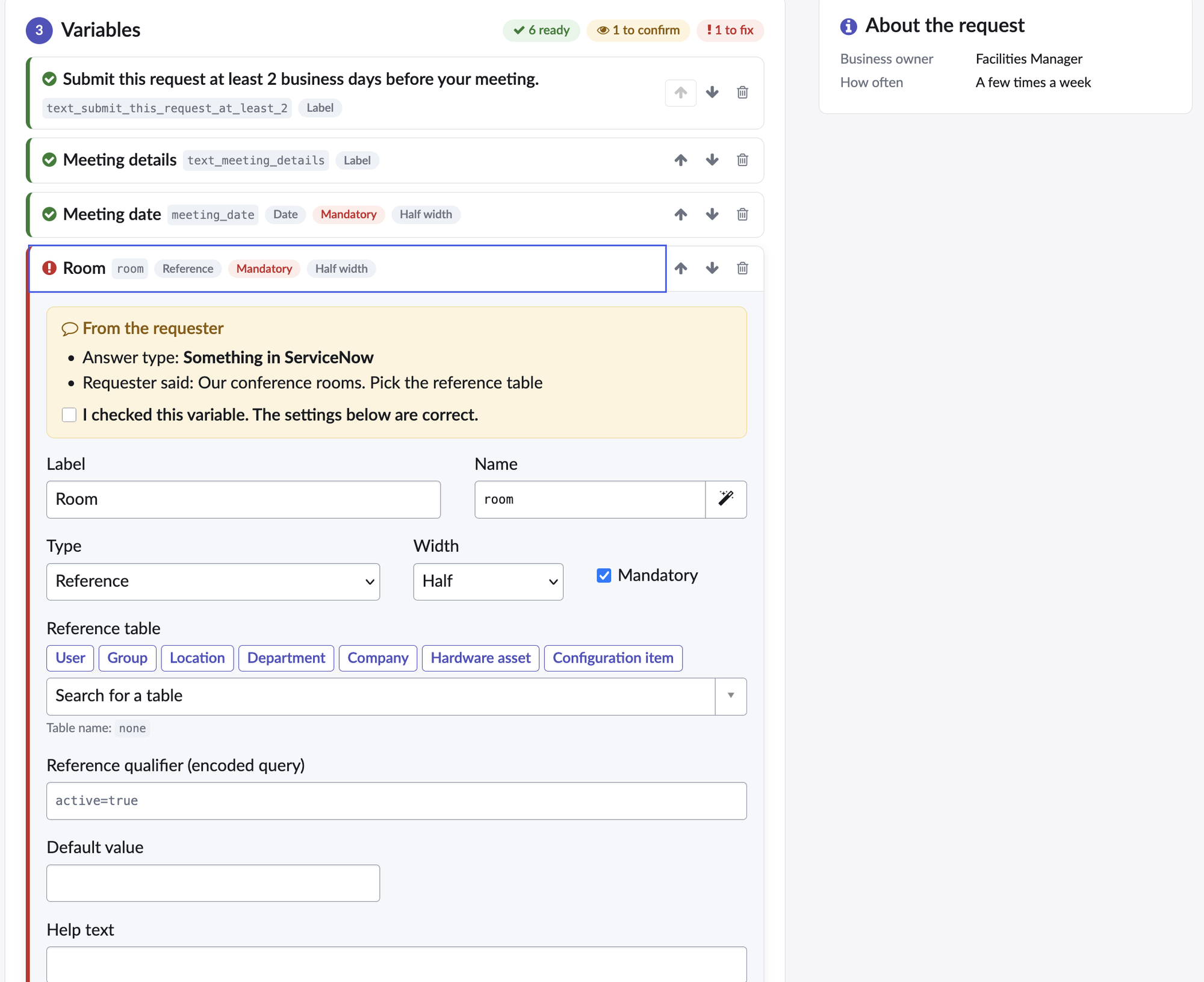
The admin side loads that JSON straight from the story. Each field is marked ready, to confirm, or to fix, and anything the requester wasn’t sure about has to be confirmed before the Create button unlocks. Pick the catalog, the flow, the reference tables, and click Create. The builder makes the item, the variables, and the choices in one pass, and rolls all of it back if any insert fails. Whatever it can’t do, like UI policies, notifications, and approvals in the flow, lands on the story as a checklist.
It replaces an older background script of mine that built items from a block of settings.
Install
- Import
update_set.xmlthrough System Update Sets, then Retrieved Update Sets. - Preview it and commit it.
- Give the
catalog_intake_userrole to the people who request items, andcatalog_intake_adminto the people who build them.
The README in the repo also has the steps to install it by hand.