MacroDeck
A grid of buttons in the menu bar that runs the things you keep doing by hand.
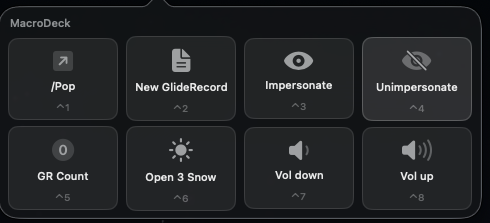
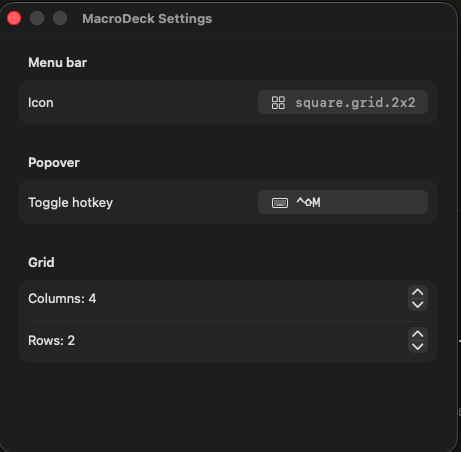
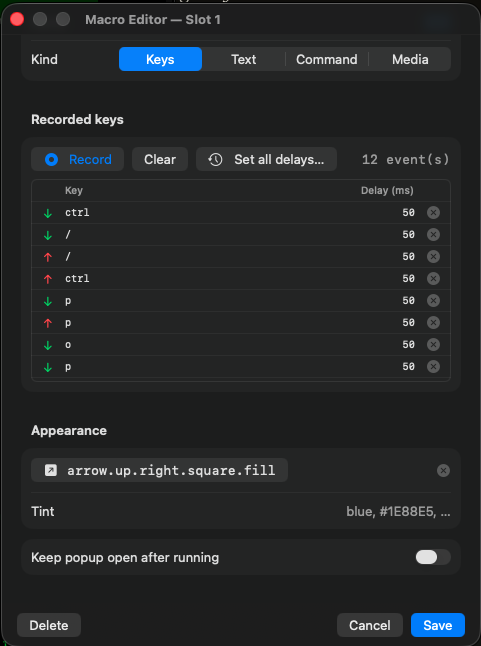
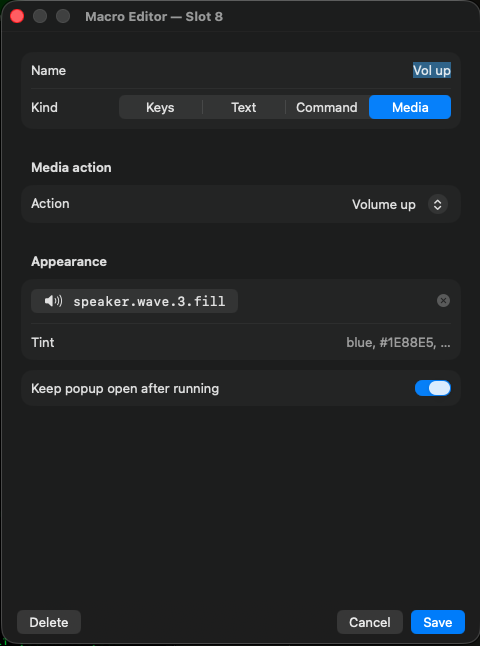
Open it from the menu bar or with a hotkey, click a tile, and the macro fires. A tile can send a string of keystrokes, type text, run a command, or hit a media key, and the editor records the keys for you rather than making you write them out.
The grid is whatever size you want it, the hotkey is yours to pick, and each tile gets an icon and a color so you can find it without reading.
It is the Stream Deck idea without the Stream Deck hardware sitting on your desk.
Install
- Download the zip and unzip it.
- Drag MacroDeck to your Applications folder.
- The first launch is blocked, because the app is signed but not notarized. Open System Settings, go to Privacy & Security, scroll to Security, and press Open Anyway. On macOS 14 you can right-click the app and choose Open instead.